MindBoard
The investigation canvas, where evidence becomes a story you can defend. If Reports answer what happened, MindBoard answers what do we believe, and why.
What MindBoard is for
MindBoard is the fourth feature in the left rail, alongside Home, Scenarios, and Reports. You can maintain multiple boards per project; one board is active at a time. Boards store name, description, status, tags, template, and viewport pan/zoom.
Collect evidence
Keep Report evidence together instead of losing it in chat history.
Write hypotheses
Put your thinking directly next to real references.
Assert relationships
Connect findings so your reasoning becomes visible and reviewable.
Organize and persist
Use groups and templates on a board that survives Editor restarts.
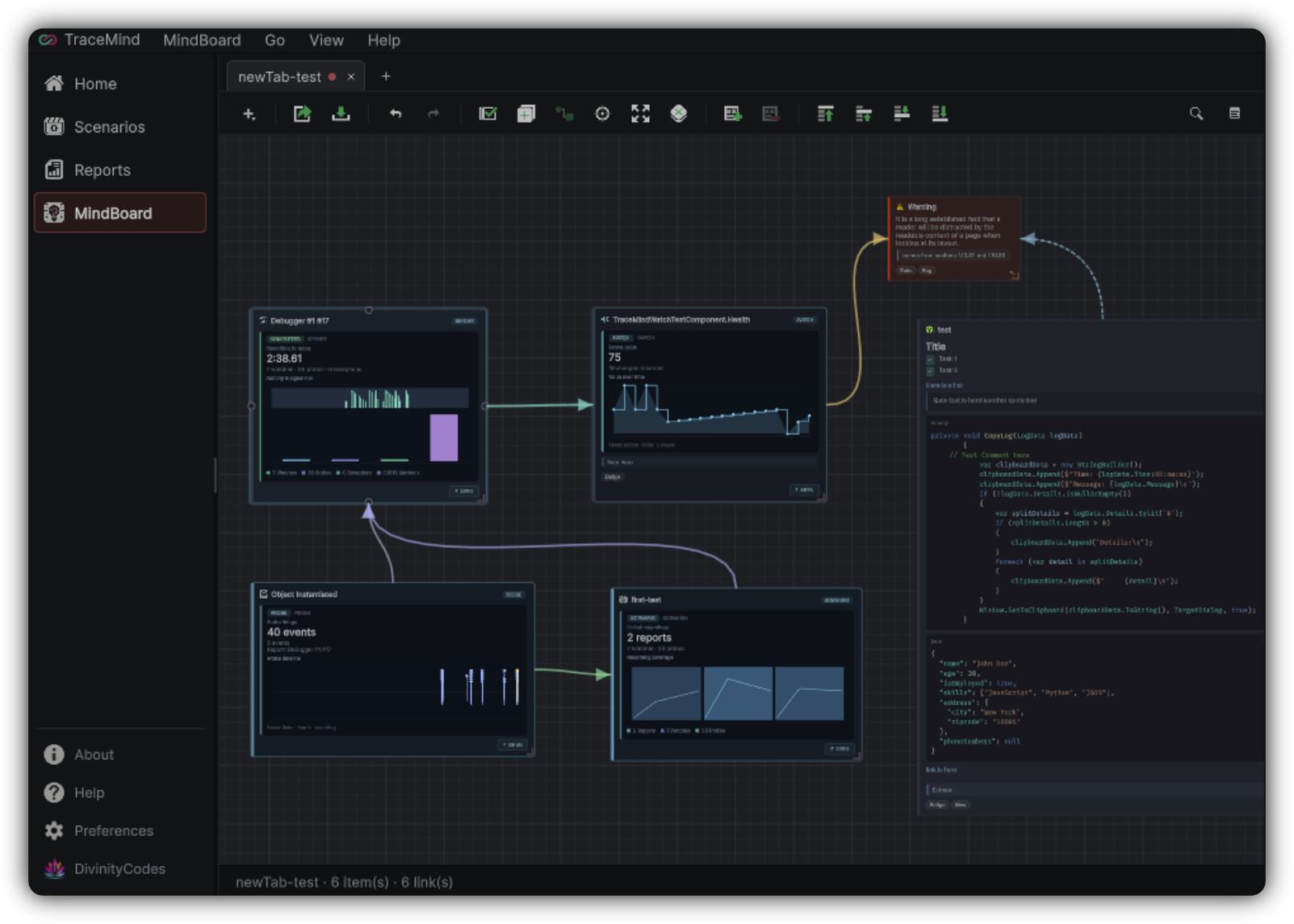
Nodes
Note
Investigation notes on the canvas: title, body (plain or Markdown), tags, status, color, and icon. Select a Note to interact with Markdown (links, tasks, code blocks). Resize and position freely.
Reference
Live links to TraceMind evidence: Report, Scenario, Scope, Watch, WatchChange, Probe, ProbeObservation, Exception, Method, ProbeGroup, TimelineEvent. References show type-specific previews with metrics and charts; select a node to hover chart details.
Relationships
Relationships are your assertions. TraceMind does not silently invent causality, which keeps reasoning transparent. Custom relationships can be configured in Preferences when your team needs richer vocabulary.
Board organization tools
Board status values such as Investigating, Confirmed, Resolved, and Archived help you close the loop.
Sidebar workspace
The right Sidebar is a compact developer workspace with three tabs. Its visibility and width persist with the board.
Notes
Scratchpad Markdown with preview toggle: quick thoughts while arranging the canvas. Persists with the board.
Tasks
A source-marker explorer for developer comments, which turns code debt markers into investigation material.
Sketch
A lightweight freehand canvas for quick diagrams while you think. It is a whiteboard for developers, not an illustration suite.
Getting evidence onto the board
Use Add to MindBoard from Reports and related surfaces, Reveal in MindBoard when the item already exists, create Notes and References directly on the canvas, or add Tasks from the Sidebar.
A strong MindBoard session
Apply a template
Match it to the kind of investigation you are running.
Drop in key references
Bring the important Report evidence onto the board.
Write one hypothesis
State it in plain language as a Note.
Connect and conclude
Link evidence with Supports, Contradicts, or Caused By, then update board status when the conclusion is real.
One theme per board
Keep boards focused. One theme per board usually beats one infinite board for everything.