Scenarios
A Scenario is a reusable recording configuration that captures only the systems you care about. Strong Scenarios make every later surface clearer.
What a Scenario contains
Identity
Name, description, icon, and color give each Scenario quick recognition in the list. Name after the system under investigation, not a temporary guess.
Tracking targets
Which code is instrumented during recording. Configure these in the Tracking Editor by assembly, namespace, type, or member.
Watches
Which members are observed over time. Watches unlock value history and the causal chains behind writes.
Probes
Which environment lanes are captured, covering scenes, objects, coroutines, animator, and resources.
Profile
How deep the capture goes. Profiles trade detail for cost, so choose depth based on the question you are asking.
Reports
The history of recordings produced by this Scenario, which lets you compare takes as a system evolves.
Dashboard stats typically highlight Tracking Targets, Watches, Probes, Reports, and Profile.
Profiles
| Profile | Character | Use when |
|---|---|---|
| Minimal | Enter and exit plus durations | You need a light footprint |
| Standard | Methods, exceptions, probes | Everyday investigation |
| Deep | Full capture plus snapshots | Nested state detail is required |
Raise depth only when needed
Start with Standard. If Causal Flow or Watch detail is incomplete, deepen the next take instead of making every recording expensive.
Create and manage
Pin the systems you investigate weekly. Favorite the playbooks that already work.
Recording controls
Review the setup
Confirm Tracking, Watches, Probes, and Profile still match the question.
Validate
Optionally run Scenario Validation, which reports ready, ready with warnings, or unable to start.
Record and reproduce
Press Start Recording, reproduce the issue intentionally, then press Stop Recording.
TraceMind works with Play Mode as part of that loop. The important part is intentional reproduction, not endless play.
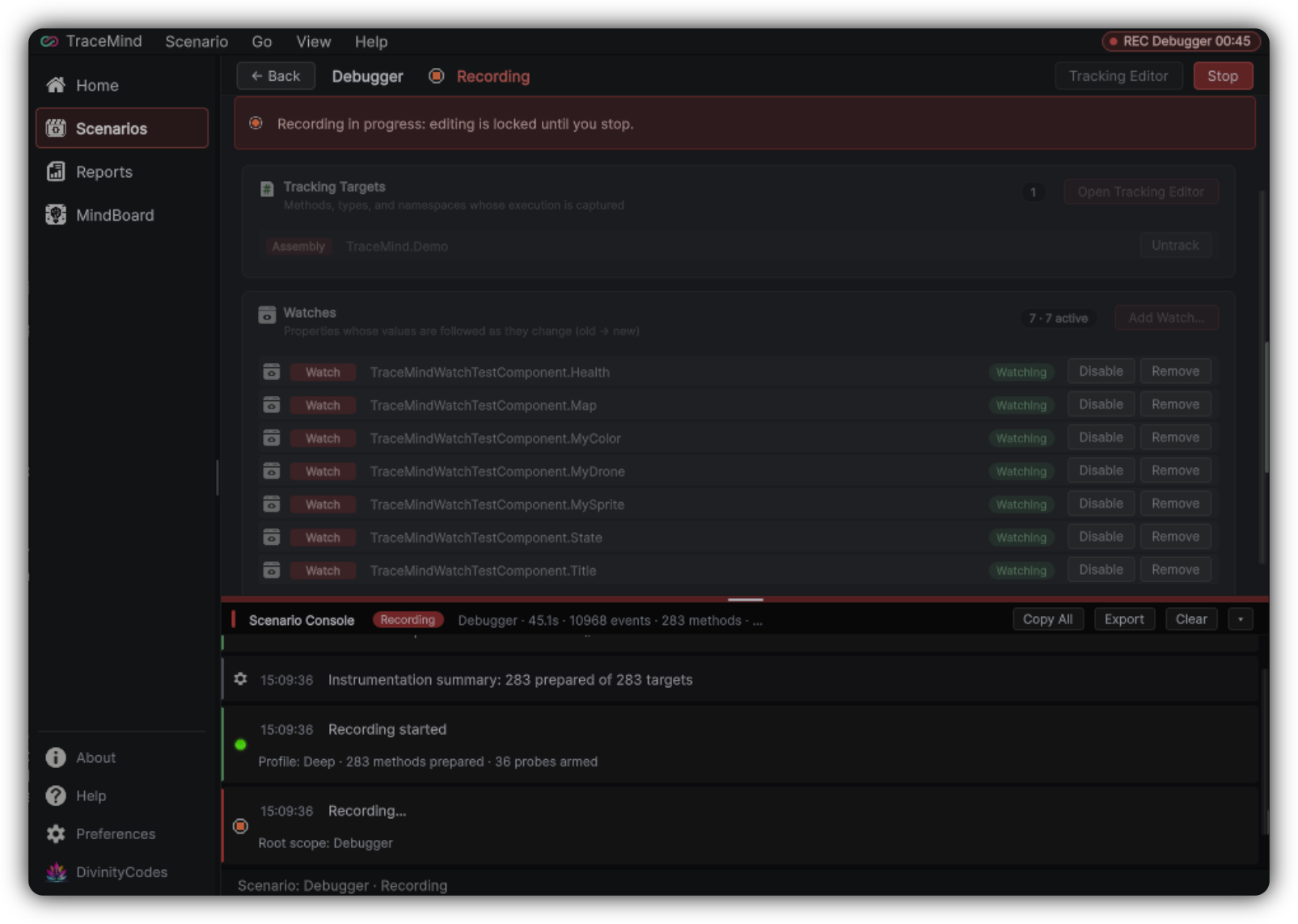
Scenario Console
The Scenario Console collects recording and patch messages for the active Scenario, with Copy All, Export, and Clear actions. When you file a bug against TraceMind itself, a Console export is often more useful than a screenshot alone.
Tracking Editor entry point
Open the Tracking Editor from the Scenario toolbar. That is where you decide what code participates in the recording. You can also drag Unity objects or scripts into Scenario workflows where supported, which seeds Tracking targets faster than browsing alone.
Scenario quality checklist
- The name matches a system, not only a temporary guess
- Tracking is narrow enough to stay readable
- Watches point at the state that defines success or failure
- Probes cover the environment events that surround the bug
- Profile depth matches the question
- At least one successful Report exists as a reference take