Reports
A Report is a durable artifact of one Scenario take, not a temporary Console dump. It is where a recording becomes an investigation.
Reports overview
From the Reports feature you can browse recordings, open one into the workspace, pin, rename, or delete, and send evidence to MindBoard with Add to MindBoard or Reveal in MindBoard. Open a Report when you are ready to ask what happened, with the recording already in hand.
Workspace view modes
Tree
Hierarchical scopes and events. Tree is the map of the recording, and the place to orient yourself before time-based exploration.
Flow
Execution travel through the scope hierarchy, with playback-oriented controls. Especially useful for teaching and reviews, because the path is visible.
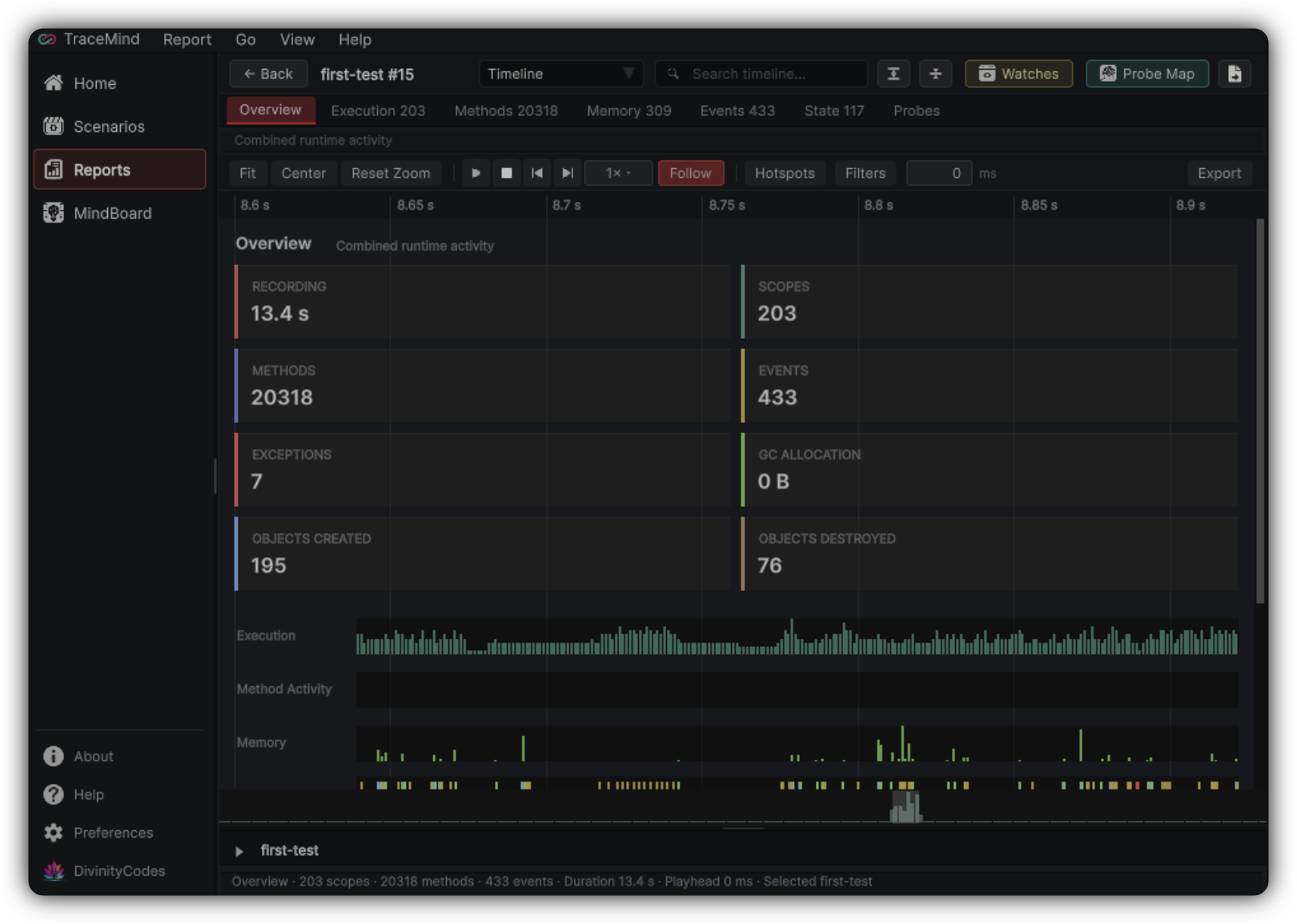
Timeline
Time-based modules covering activity, methods, memory, watches, probes, and more. The playhead keeps Timeline aligned with Watch Studio and Probe Map.
Placeholder views
Statistics, Events, and Comparison appear in the view selector but are marked as future. Use Tree, Flow, and Timeline for investigation today.
Toolbar essentials
Use search when you know a scope or symbol name. Use Expand and Collapse to control hierarchy density before you dive.
Export
| Format | Best for |
|---|---|
| JSON | Structured interchange, tooling, and archives |
| HTML | Readable sharing with teammates or stakeholders |
| Markdown | Tickets, design docs, and pull request notes |
See Export and Storage for persistence details.
Read a Report efficiently
Skim Timeline Overview
Find when the interesting moment occurs.
Open Tree around it
Get hierarchical context for that moment.
Follow the value
If a watched value is involved, open Watch Studio, then Causal Flow from a suspicious write.
Check the environment
If timing matters, open Probe Map, then pin durable findings to MindBoard.
This path prevents opening every panel out of habit.
Reports and Scenarios
The Scenario defines the capture recipe; the Report stores one run of it. If a Report is weak, improve the Scenario and record again rather than staring harder at incomplete evidence.