Watch Studio
The dedicated workspace for watched values, where value history becomes an investigation rather than a spreadsheet of numbers.
What Watch Studio answers
When did it change?
Pinpoint the exact transition in time.
Old and new values
Compare the before and after of each write.
Signal versus noise
Separate the decisive change from routine chatter.
Why did it change?
Jump straight from a change into its causal chain.
If your bug is a state bug, Watch Studio is often the highest-leverage Report surface.
Main tabs
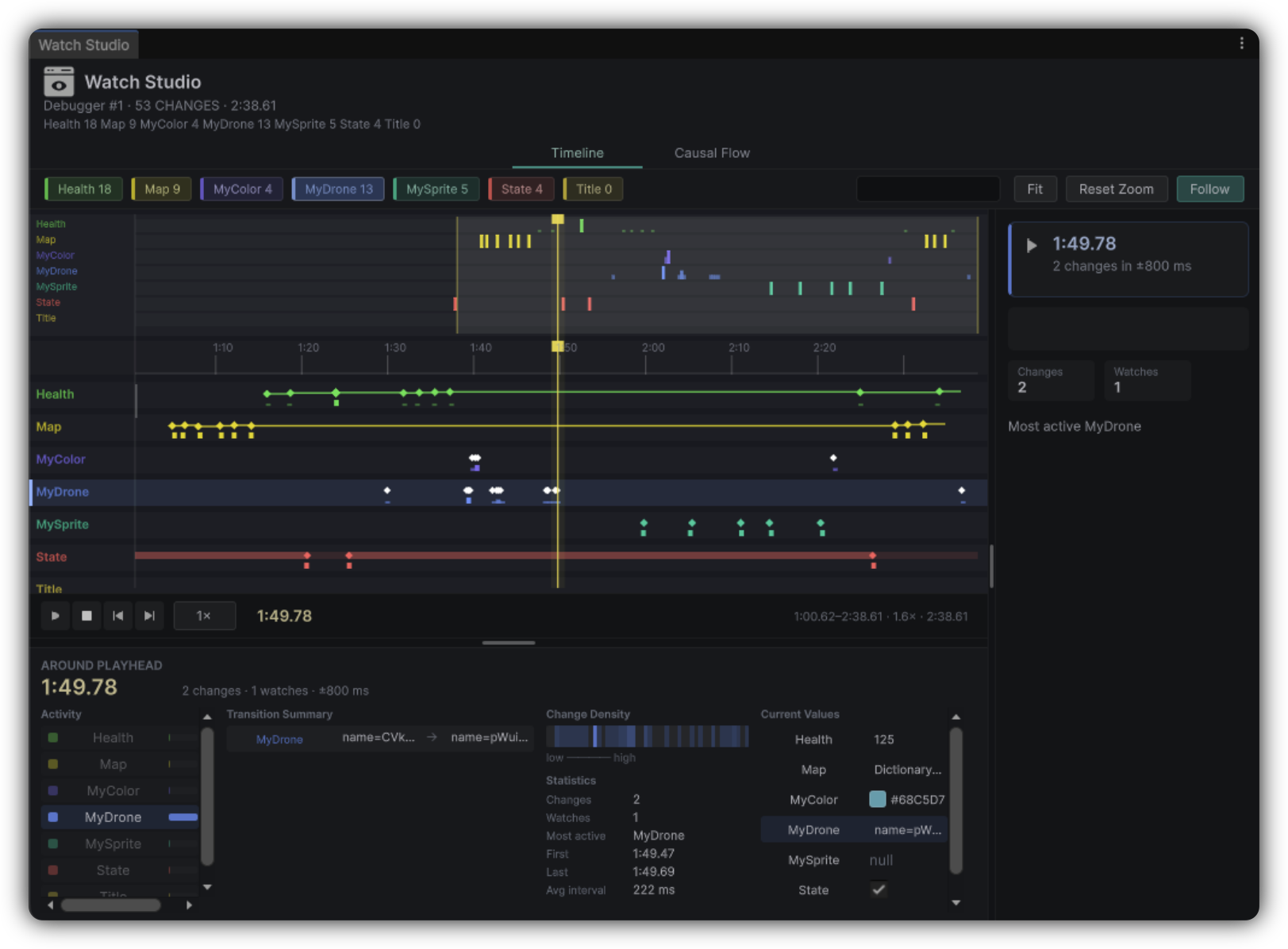
Timeline
Value evolution over time: find the transition that matters. Playback: Space play/pause, Home reset, ←/→ step changes.
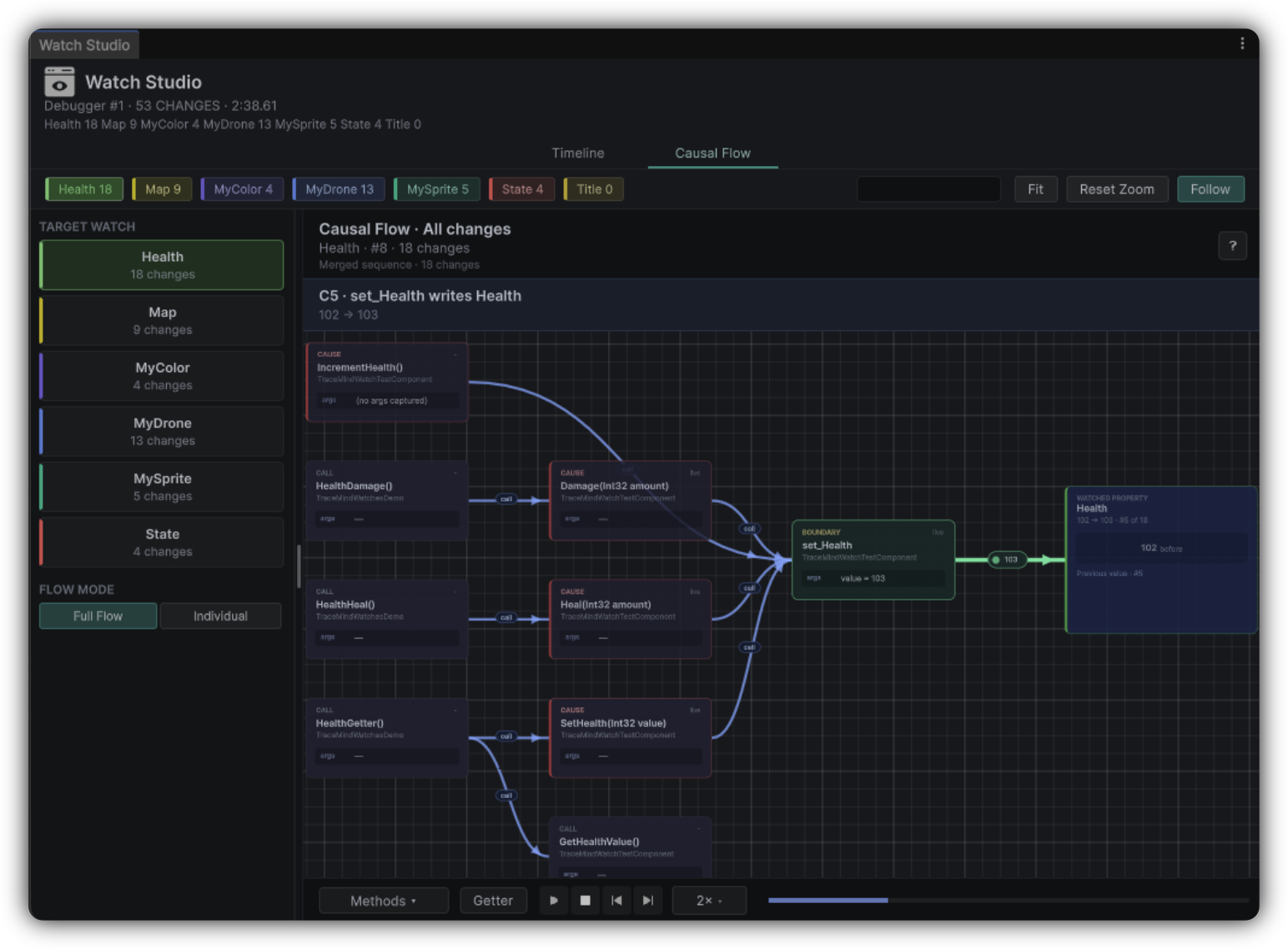
Causal Flow
The path behind a write. Modes: Full Flow (all changes) and Individual (one selected change).
Typical workflow
Open a Report with Watches
Launch Watch Studio from the Report tools.
Locate the transition
Find the suspicious value change and inspect surrounding activity.
Enter Causal Flow
Jump into the write that matters, and Ping related objects when the runtime context still exists.
Capture the finding
Add the decisive moment to MindBoard.
Read value history like a pro
Ignore high-frequency chatter until you isolate the symptom window, align the interesting change with Timeline modules or Probe Map lanes, and prefer one decisive write over dozens of intermediate updates when explaining the bug.
Name the transition
On MindBoard, write the change in plain language, such as "Health dropped from 40 to 0 after respawn complete." Clear captions make reviews faster.
When values look shallow
Confirm the Watch is enabled
Check that it is active on the Scenario.
Confirm the Profile
Make sure the recording Profile supports the detail you expect.
Review Preferences and re-record
Check Watches Preferences, including capture depth and related strategies, then record a tighter take.