Probe Map
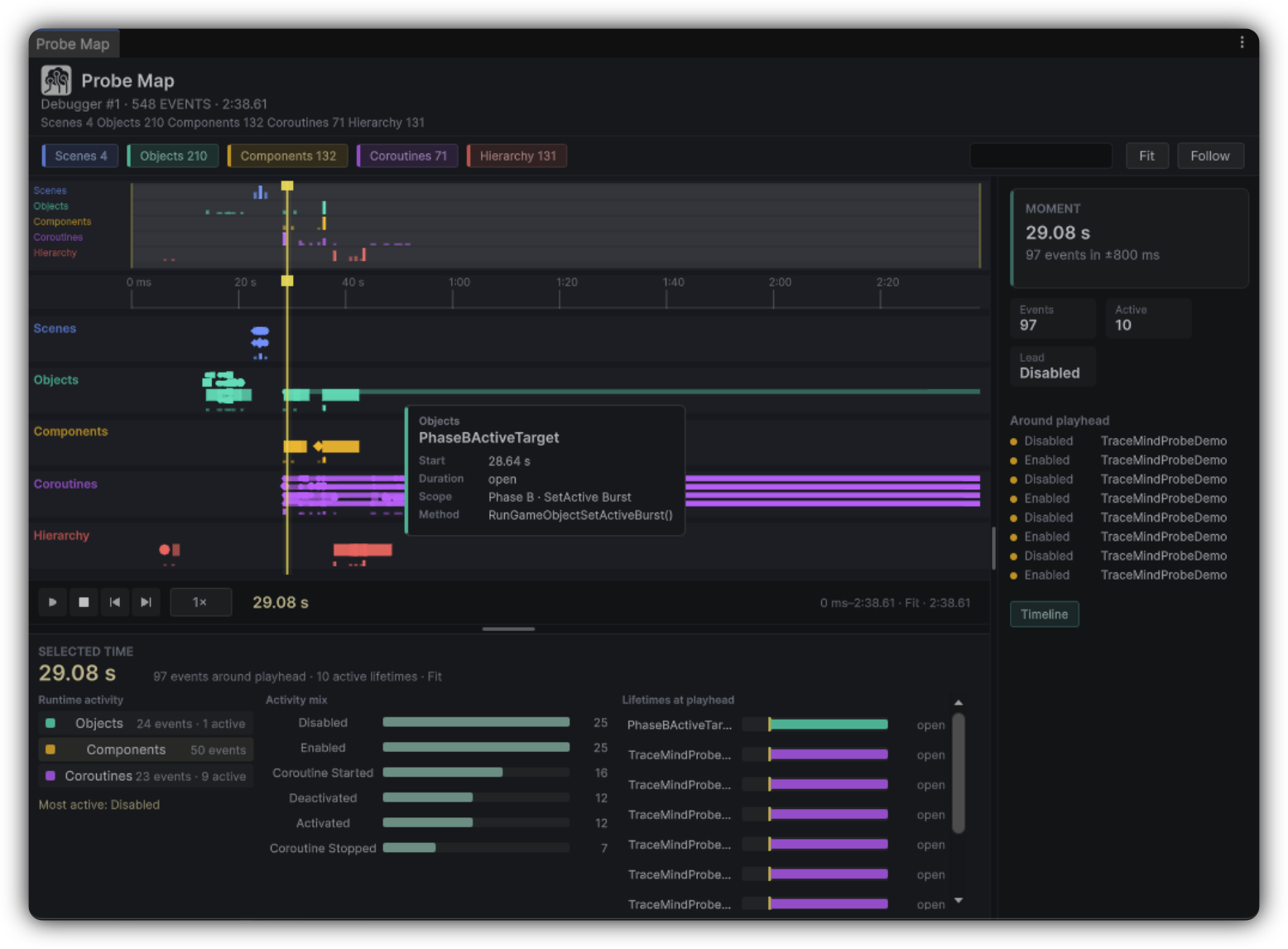
A lane timeline for environment activity. When a bug is tangled with Unity's world, Probe Map shows the surrounding story that pure method traces can miss.
The lanes
Probe activity is organized by category. Each lane answers one question: what was the environment doing at that moment?
Scenes
Scene load and unload across the recording. Use it to see loading relative to watched writes.
Objects
Object lifecycle events across the take. Use it to align destroy and spawn races with state changes.
Coroutines
Coroutine ordering and progress. Use it to place coroutine activity next to method activity.
Animator
Animator state and transition activity. Use it to correlate animator events with value flips.
Resources
Resource activity, including Addressables and AssetBundle related events depending on capture settings. Use it to spot async loading hitches near the failure.
How to use it
Enable relevant Probes
Turn on the categories that can affect the bug before recording.
Reproduce and stop
Capture the symptom once, cleanly.
Open Probe Map
From the Report, scrub to the symptom window and inspect lane events.
Correlate and pin
Jump toward Timeline or related views, then pin decisive probe observations to MindBoard.
Enable only the lanes you need
Probe selectivity keeps the map readable. Turn on categories that can affect the bug, not every available sensor.
Aligned with the playhead
Probe Map participates in TraceMind's time-oriented investigation style. Keep the interesting moment aligned with Timeline and Watch Studio so environment events and value changes stay in one mental frame. Probe Map can also surface validation feedback when configuration or capture needs attention. Treat warnings as Scenario improvement hints, not dead ends.